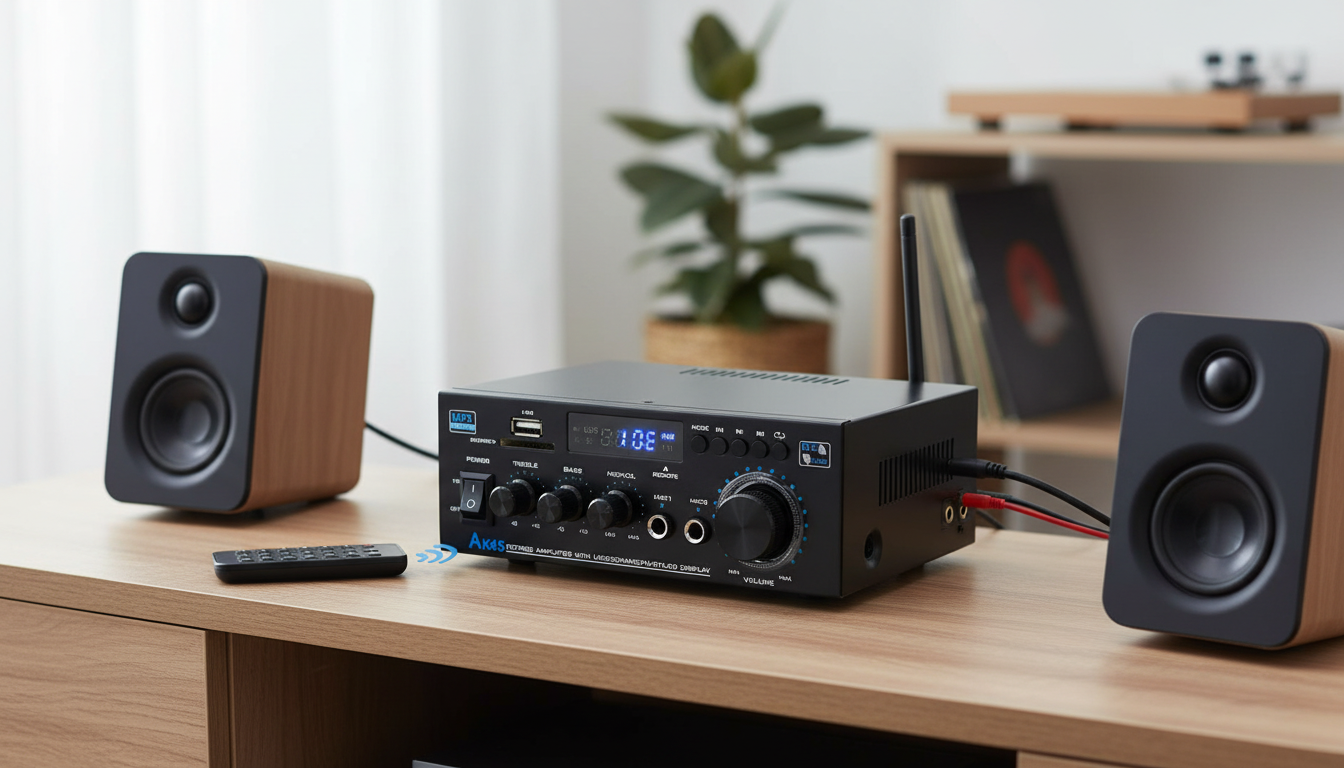
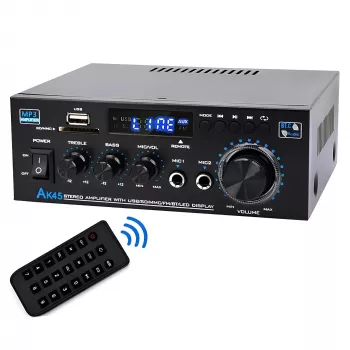
A small stereo amplifier can bring passive bookshelf speakers back to life, power a desktop setup, or add wireless streaming to a simple home system. The HiFi Bluetooth Stereo Amplifier 2.0 Channel with USB, AUX, FM & Remote is built around everyday convenience: Bluetooth playback, USB and AUX inputs, an FM tuner, and a handheld remote—without the size (or complexity) of a full AV receiver.
What This 2.0-Channel Amplifier Is Built For
This compact 2.0-channel stereo amp is a practical match for smaller rooms and straightforward speaker setups. It’s designed to solve the common “I have good speakers, but no easy way to play music” problem.
- Driving a pair of passive speakers (2.0 stereo) for a living room, bedroom, dorm, or desktop setup
- Switching between wireless Bluetooth streaming and wired sources (AUX) without re-cabling the system
- Playing music directly from a USB source when a phone or laptop isn’t convenient
- Casual FM radio listening with simple controls and quick station changes
- Remote-controlled volume and playback for couch-friendly use
Key Features at a Glance
Instead of focusing on one single source, this stereo amp centers on flexible day-to-day listening—phone streaming, TV audio, background radio, and quick input switching.
- 2.0-channel stereo output for left/right passive speakers
- Bluetooth connectivity for streaming from phones, tablets, and computers
- USB input for direct playback from compatible storage devices
- AUX input for TVs, turntables with preamp, PCs, CD players, and other analog sources
- Built-in FM radio mode for local stations
- Remote control for convenient adjustments at a distance
- Compact form factor that fits on shelves, desks, or media consoles
Bluetooth performance and compatibility can vary by device and codec support; the official Bluetooth Core Specification is a helpful reference when comparing how different devices implement Bluetooth features.
Inputs, Playback Modes, and Typical Hookups
One of the biggest benefits of a small integrated stereo amp is minimizing clutter: connect speakers once, then rotate through your favorite sources.
Bluetooth mode
Pair once and reconnect for quick streaming. Keep the amplifier within typical room range, and avoid placing it behind dense obstructions for a steadier connection.
USB mode
USB playback is handy for preloaded playlists on a flash drive. File formats and folder handling can vary, so a simple folder structure and straightforward filenames can make navigation easier.
AUX mode
AUX is a solid choice for TVs, computers, and other analog devices where you want consistent performance and minimal delay. If you notice buzzing or intermittent noise, keep audio cables away from power bricks and adapters, and review the FCC’s consumer guidance on interference for practical tips on reducing signal problems in the home.
FM mode
FM radio is a simple way to add news, talk, and music without involving a phone or subscription. For a quick overview of how broadcasting works and why reception varies, see this background from the National Association of Broadcasters.
Quick Setup Guide by Source Device
Quick Setup Guide by Source Device
| Source |
Best Connection |
Cable/Accessory Needed |
Notes |
| Smartphone / Tablet |
Bluetooth |
None |
Keep the amplifier within typical room range; avoid heavy obstruction for best stability |
| TV |
AUX |
3.5mm-to-3.5mm or 3.5mm-to-RCA (depending on TV output) |
Set TV audio to external speakers; fixed/variable output options may affect volume control behavior |
| Laptop / Desktop |
AUX |
3.5mm audio cable |
Use OS volume at ~70–90% and adjust final volume on the amplifier |
| USB Flash Drive |
USB |
USB drive |
File formats and folder handling can vary; keep filenames simple for easier navigation |
| Local Radio |
FM |
FM antenna (if included/required) |
Place the antenna away from power adapters for improved reception |
Sound and Power: Getting the Best Results
Compact stereo amps shine when paired with appropriately efficient passive speakers and sensible volume levels. A little setup care goes a long way toward cleaner sound and a wider stereo image.
- Match speakers that are appropriate for compact stereo amps; very power-hungry speakers may not reach desired loudness
- For clean sound, raise volume gradually and reduce if distortion appears at higher levels
- Speaker placement matters: equal distance from the listening position, with the tweeters near ear level when seated
- Use good-quality speaker wire and ensure tight connections to reduce dropouts and channel imbalance
- If using a turntable, a phono preamp is typically required before connecting via AUX (unless the turntable has a built-in preamp)
Remote Control and Everyday Convenience
The remote is the kind of feature that quickly becomes non-negotiable in daily use. It makes the system feel more like a living-room component and less like a desk accessory.
Placement, Ventilation, and Safety Basics
Who This Amplifier Suits Best
Product Details and What to Expect in the Box
The HiFi Bluetooth Stereo Amplifier 2.0 Channel with USB, AUX, FM & Remote is available now for $58.82 (USD), in stock. Check the product page for the most current list of included accessories (such as the remote, antenna, and power adapter) and any updated specifications.
More In-Stock Picks
FAQ
Can this amplifier power passive bookshelf speakers?
Yes—it’s designed for 2.0-channel passive speakers. Choose speakers that are a good match for compact stereo amps, use proper speaker wire, and avoid pushing volume into audible distortion.
How do Bluetooth and AUX differ for sound quality and reliability?
AUX is typically the most consistent and latency-free for TVs and computers. Bluetooth is more convenient for phones and casual listening, and results depend on the connected device and its Bluetooth implementation.
Will a turntable work with the AUX input?
Only if the turntable has a built-in preamp or you add an external phono preamp. A raw phono signal is too low and needs RIAA equalization before it can feed an AUX input properly.
Recommended for you










Leave a comment